
A calculator that gets it right
Exact decimals (0.1 + 0.2 is 0.3), brackets, percent like a pocket calculator, square roots and squares, a live answer as you type, and a history of your sums.
Loan EMI and schedule
Enter the loan amount, interest rate and term to see the monthly EMI, the total interest and a year-by-year schedule of every payment.
GST in one tap
Add GST to a price or take it out of a price that includes it, at 5%, 18%, 40%, 3% or any rate, with the CGST and SGST split.
Everyday percentages
X% of a number, what percent one number is of another, the change from one number to another, and the price after a discount.
Your files stay yours
Sumfold has no account and asks for no permissions. Your calculations and the numbers you type stay on your phone. The app is free with ads from Google AdMob, which never see your numbers.
Guides
Clear guides to EMIs, GST and percentages, with the formulas and worked examples.
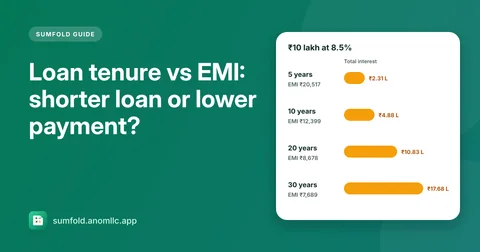
- Loan tenure vs EMI: shorter loan or lower payment?
A longer loan lowers your EMI but costs far more interest. See the numbers for a ₹10 lakh loan over 5 to 30 years, and how to pick a term you can afford.
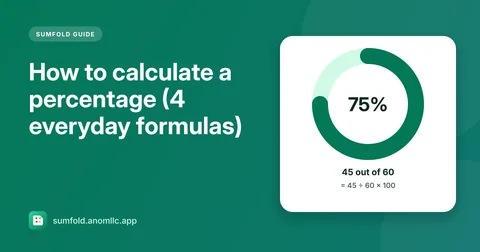
- How to calculate a percentage (4 everyday formulas)
The four percentage calculations you'll use most, X% of a number, what percent one number is of another, percentage increase or decrease, and discounts, with examples and calculator shortcuts.
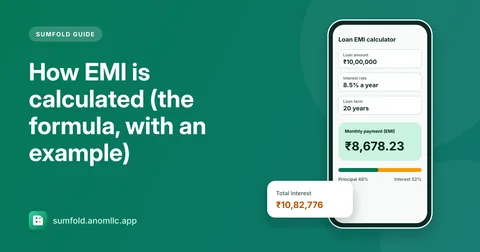
- How EMI is calculated (the formula, with an example)
The EMI formula banks use, worked through step by step for a ₹10 lakh loan, why most of your first payments go to interest, and how to check your own EMI in seconds.
Questions
Is Sumfold free?
Yes. Sumfold is free and there is no account to create. It shows a banner at the top of the calculator and above the tabs on the other tools, and now and then a full-screen ad when you close the payment schedule or Settings.
How does it work out the EMI?
With the standard reducing-balance formula banks use: EMI = P × r × (1 + r)^n ÷ ((1 + r)^n − 1), where P is the loan amount, r the monthly interest rate and n the number of months. The payment schedule shows how each payment splits into principal and interest.
Will my bank's EMI be exactly the same?
Usually it's within a rupee or two. Banks can differ slightly because of rounding, the day your loan starts, processing fees or a rate that changes over time, so treat Sumfold's figures as estimates for planning.
Which GST rates does it have?
One tap for 5%, 18%, 40% and 3%, the common rates in India since 22 September 2025, and Other for any rate, including older rates or VAT in other countries. It shows the CGST and SGST halves too.
Why does 200 + 10% give 220?
Like a pocket calculator, Sumfold adds 10% of 200 when you type 200 + 10%, and takes it away for 200 − 10%. 200 × 10% gives 20, and 10% on its own is 0.1.
Which phones and languages does it support?
Android 8.0 or newer. The app is in English and Hindi, and amounts follow your phone's way of writing numbers, such as 10,00,000 in India.